


If you’ve ever found yourself scratching your head over a faulty maglock, you’re not alone. After over a decade working hands-on with access control systems across commercial, industrial, and residential sites, I’ve seen every kind of maglock issue you can imagine. Fortunately, many of these problems have straightforward fixes — if you know what to look for.
In this post, I’ll walk you through some of the most common maglock issues and how to troubleshoot them.

-
Why Is My Maglock Not Locking?
This is by far the most common maglock question we get — and for good reason. A maglock that doesn’t lock can leave a building vulnerable. Here’s a checklist to help pinpoint the cause:
✅ Is There 12V or 24V DC at the Maglock?
If there’s no power at the lock, it can’t operate. Remove the maglock’s cover plate and use a multi-meter to check for voltage at the terminals. Confirm that your power supply is functioning and that you’re testing the correct wires.
✅ Is the Cable Properly Terminated?
Loose or incorrectly terminated cables will prevent voltage from reaching the lock. Check the terminal screws are tight. Gently pull on each wire to ensure its secure and not slipping out of the terminal block.
✅ Are the Jumpers Set Correctly?
Many maglocks can run on 12V or 24V DC. They include small jumpers inside the housing that configure the lock for the supplied voltage. Send 24V to a lock set for 12V, you risk damaging it. Supply 12V to a lock set for 24V, it might not work at all. Always verify that jumper settings match your power supply.
✅ Could External Devices Be Interrupting Power?
A lot of people jump to replace the maglock itself when the issue is external. Before doing so, check:
- Emergency door release units
- Fire alarm interfaces
- Push-to-exit buttons (especially if stuck)
- Access control relays (could be latched open)
These components can break the power to the maglock and make it seem like the lock is faulty when it’s not.
✅ Is the Armature Plate Properly Aligned?
The magnet only works if it makes full contact with the armature plate. If the plate is missing, or is installed incorrectly, the lock may not hold or engage. A quick test: use a metal object like a file. If it sticks firmly to the energised magnet, the lock itself is fine — the issue is likely alignment.


-
Why Does My Maglock Have a Weak Holding Force?
Maglocks have a high holding force but only when installed correctly and powered properly. If yours seems weak, check the following:
✅ Voltage Again
Low voltage = weak magnet. High voltage = potential damage.
✅ Correct Installation
Even the best maglock won’t hold if installed badly. The armature plate must sit completely flush with the face of the magnet when the door is closed. Any gap, tilt, or obstruction drastically reduces the holding force. Make sure:
- The rubber washer has been installed behind the armature plate
- Armature plate hasn’t been overtightened
- The brackets for the look are not loose or out of alignment
✅ Suitable Lock for the Door Type
UPVC or lightweight timber doors may not provide the structural support needed for a maglock to hold under force. In these cases, the fixings can fail before the lock does. Proper brackets and reinforcements — and a good site survey — are essential to get a secure and safe installation.
-
Why Is My Maglock Warm?
This is a common concern, especially from end users. The good news is some warmth is normal.
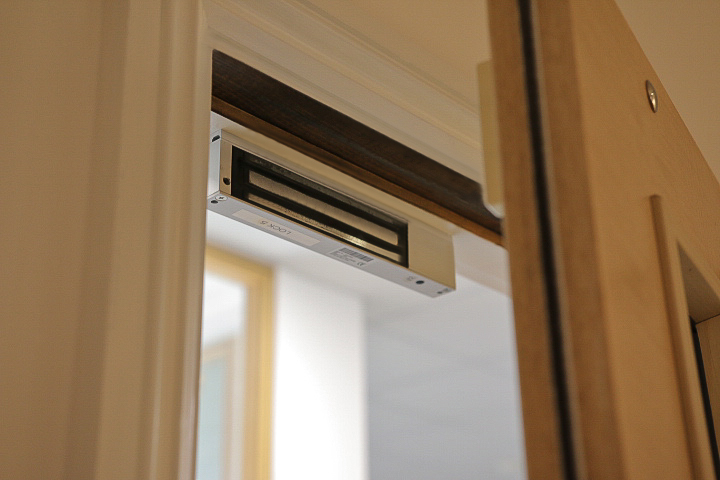
Maglocks stay energised continuously while locked, meaning current is constantly flowing through their internal coil. That generates heat — just like any powered electrical device. A warm maglock doesn’t indicate a fault.
However, it’s still good practice to check the following:
- The supply voltage is correct and matches the jumper setting
Excessive heat can occur if the wrong voltage is used or the power supply is unstable, which can eventually damage the lock.
Final Thoughts
Maglock issues are often easier to solve than they appear at first glance. Most problems come down to power supply, cabling, jumper settings, or poor alignment — not the maglock itself. Taking a systematic approach to troubleshooting can save you time, money, and unnecessary replacements.